Webhooks
Webhooks push tunnel lifecycle and governance events to a URL you control. Use them to alert a channel when a tunnel drops, get paged on a rug-pull, or feed events into your own automation.
Each delivery is a single HTTP POST. Slack and Discord incoming-webhook URLs
get their native message shape; every other URL receives the raw event JSON,
signed so you can verify it came from mcppipe.
Register a webhook
Section titled “Register a webhook”Webhooks are managed at /webhooks in the dashboard.
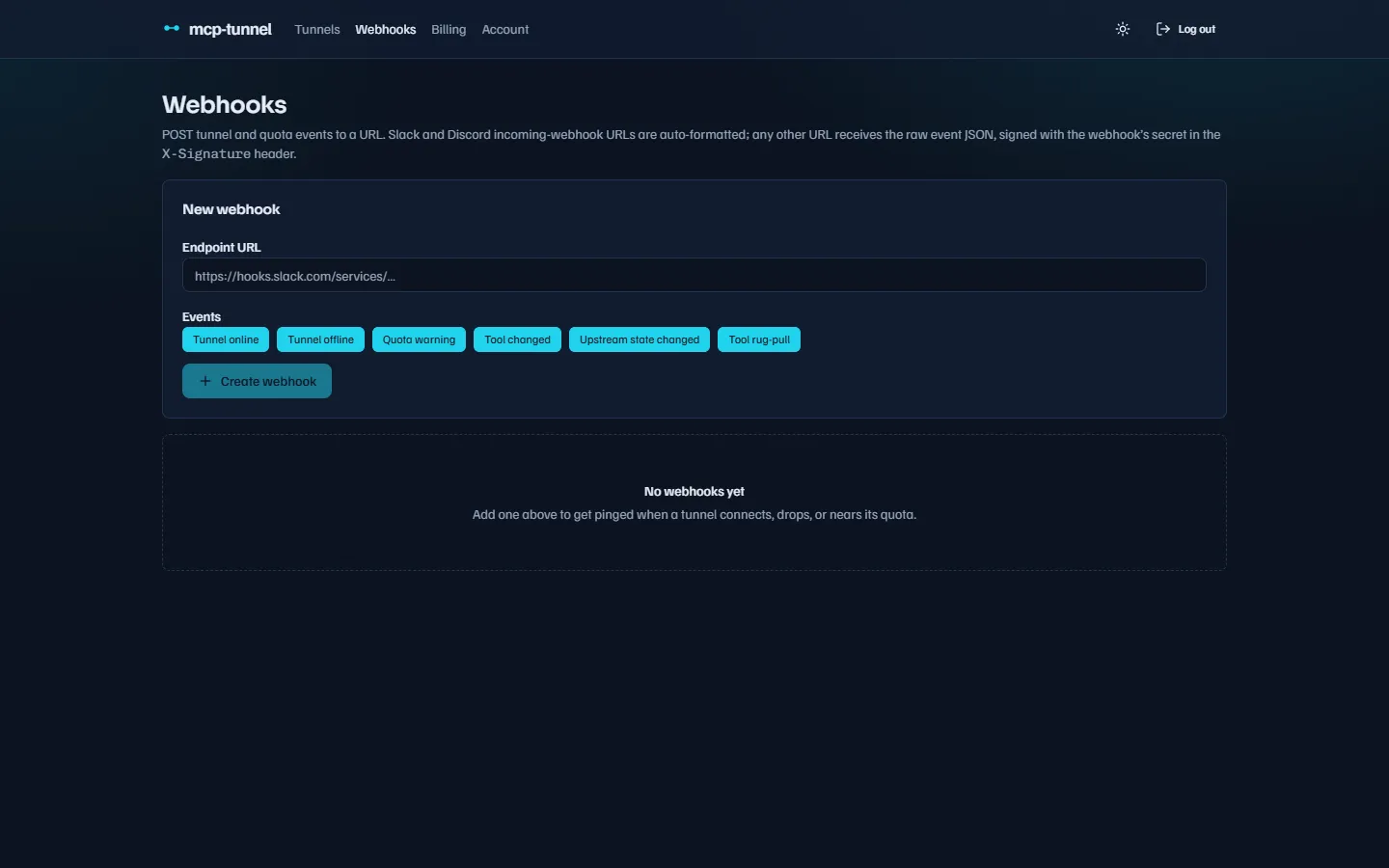 Paste an endpoint URL and toggle the events it should receive.
- Enter an Endpoint URL. It must be an
http(s)URL and must resolve to a public address (see URL restrictions). - Toggle the Events you want. All six are selected by default; at least one is required.
- Click Create webhook. mcppipe mints a signing secret and shows it in the list.
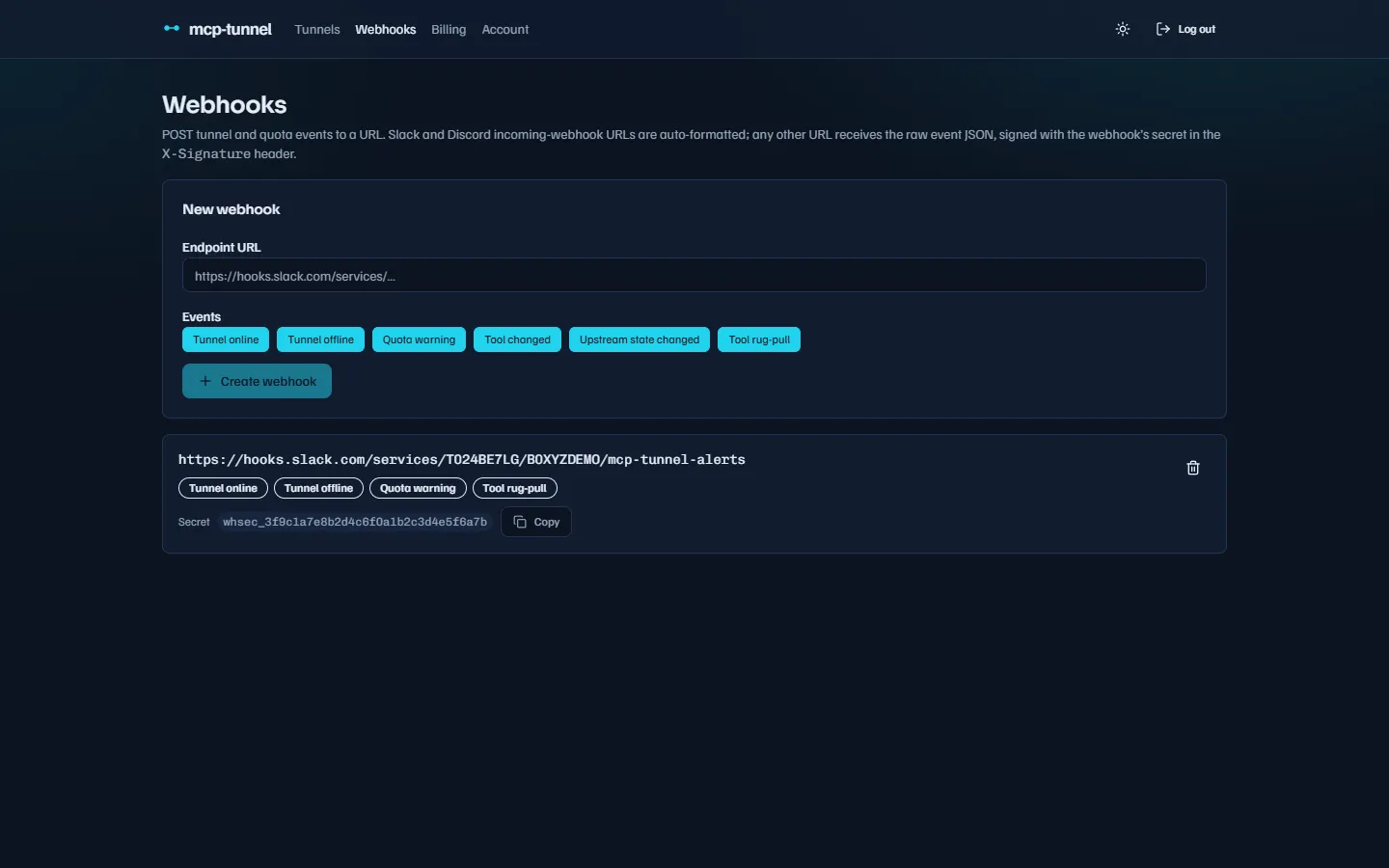 Each row shows the URL, subscribed events, and the secret used to sign deliveries.
The secret is stored and shown in the list so you can copy it into your verifier at any time. To stop deliveries, delete the webhook with the trash icon.
Event types
Section titled “Event types”A webhook subscribes to any subset of these six events:
| Event | Fired when |
|---|---|
tunnel.online | A CLI attaches and the tunnel starts serving. |
tunnel.offline | The CLI detaches and the tunnel stops serving. |
quota.warning | You first cross ~80% of a monthly quota (deduped to once per period). |
tool.changed | An upstream tool’s description/schema changes between two tools/list calls. |
upstream.state_changed | An aggregator upstream changes phase (e.g. available → recovering). |
tool.rug_pull | A tool’s live description diverges from its owner-approved baseline — a security-grade rug-pull alert. |
quota.warning always also emails the tunnel owner, whether or not a webhook is
configured.
Payload
Section titled “Payload”Slack and Discord
Section titled “Slack and Discord”URLs whose host is hooks.slack.com get a Slack {"text": "…"} body; URLs
matching discord.com/api/webhooks or discordapp.com/api/webhooks get a
Discord {"content": "…"} body. In both cases the value is a one-line human
summary, for example:
Tunnel `notes` went offline.⚠️ mcppipe RUG-PULL: tool `transfer_funds` on `notes` changed from its approved baseline.No extra configuration is needed — paste the incoming-webhook URL and the message renders in the channel.
Every other URL
Section titled “Every other URL”Any other endpoint receives the raw event as JSON:
{ "event": "tool.changed", "user_id": "…", "tunnel_id": "…", "subdomain": "notes", "ts": "2026-06-07T12:00:00Z", "detail": "tool 'echo' modified", "change": { "change_type": "modified", "tool_name": "echo", "previous_sha256": "…", "current_sha256": "…" }}change is present only on tool.changed and tool.rug_pull;
upstream_state (with upstream, from, to, and optional downtime_ms /
attempts / error) is present only on upstream.state_changed. detail is a
human-readable line and may be null.
Each POST carries these headers:
| Header | Value |
|---|---|
Content-Type | application/json |
X-Signature | Hex HMAC-SHA256 of the body, keyed by the webhook’s secret. |
X-Mcppipe-Event | The event type, e.g. tunnel.online. |
Verifying the signature
Section titled “Verifying the signature”The signature is HMAC-SHA256(secret, raw_body), hex-encoded, in the
X-Signature header. Compute the same HMAC over the raw request body and
compare. The minted secret is prefixed whsec_.
import hashlib, hmac
def verify(secret: str, raw_body: bytes, signature_header: str) -> bool: expected = hmac.new(secret.encode(), raw_body, hashlib.sha256).hexdigest() return hmac.compare_digest(expected, signature_header)Delivery behavior
Section titled “Delivery behavior”- Deliveries are best-effort: each
POSThas a 10-second timeout, and a non-2xx response or a connection failure is logged but not retried. Make your handler idempotent and return quickly. - Treat webhooks as notifications, not a guaranteed log. For an authoritative record of traffic, use the Inspector.
- Delivery follows no redirects — point the webhook at its final URL.
URL restrictions
Section titled “URL restrictions”Webhook URLs are SSRF-guarded both when you register them and again at delivery time (with a fresh DNS lookup, to catch a name that later rebinds to an internal address). A URL is rejected if it:
- is not
http(s)—url must be an http(s) URL; - uses plain
httpin production —webhook URL must use https; - resolves to a private, loopback, link-local, CGNAT, or other non-public
address (including the cloud metadata IP
169.254.169.254) —webhook URL must not point at a private or internal address; - does not resolve at all —
webhook host does not resolve.
Pick at least one event, or creation fails with
pick at least one event to subscribe to.
Related
Section titled “Related”- Tool governance — what triggers
tool.changedandtool.rug_pull. - Multi-upstream aggregation — the upstream phases behind
upstream.state_changed. - Billing & plans — quotas behind
quota.warning. - Live traffic & Inspector — the authoritative event history.